Transaction / Activity History
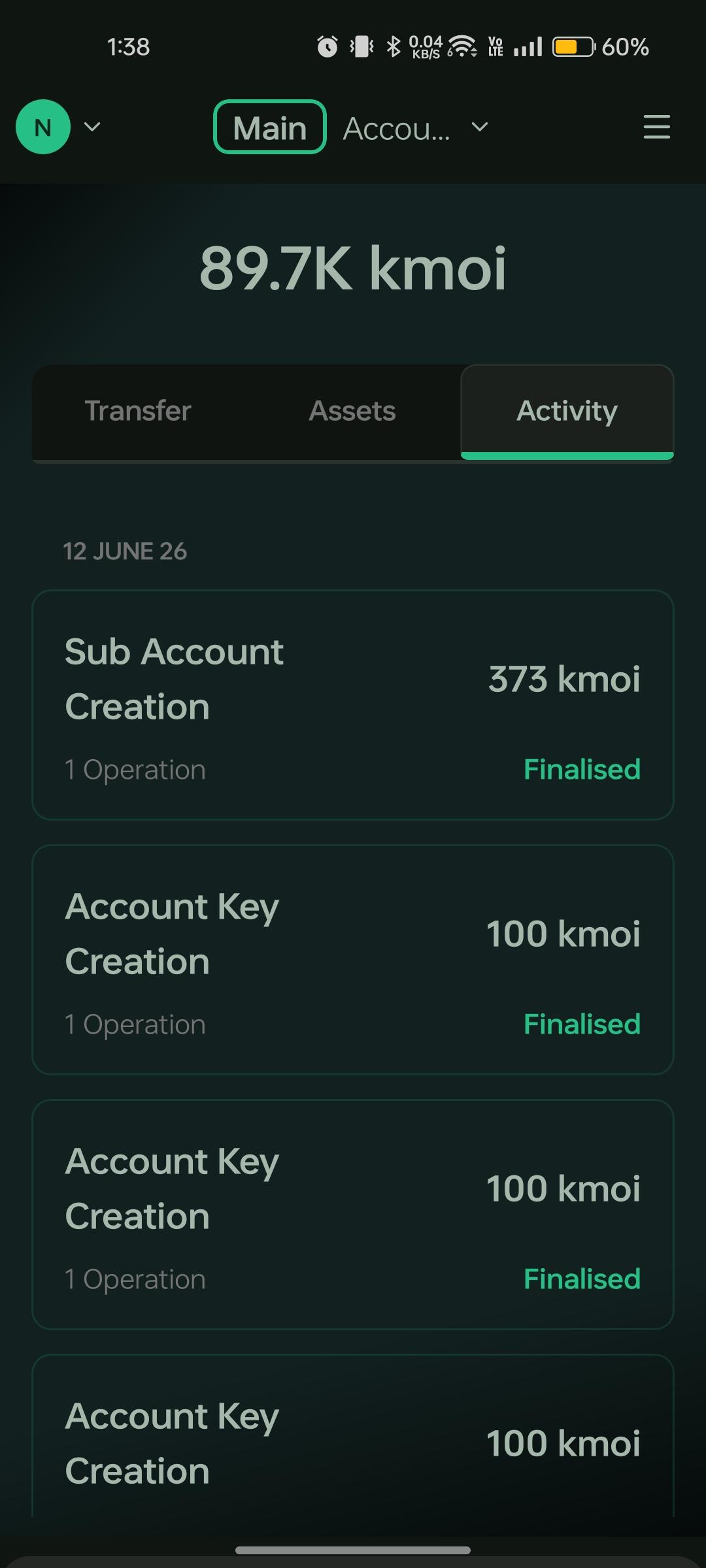
Moi Wallet keeps a local record of your wallet activity. View past transfers, registrations, and other interactions from the Activity tab on the home screen.
View activity history
- Open the home screen.
- Select the Activity tab.
- Browse the list of past transactions and interactions — each entry shows the operation type, amount, status, and timestamp.
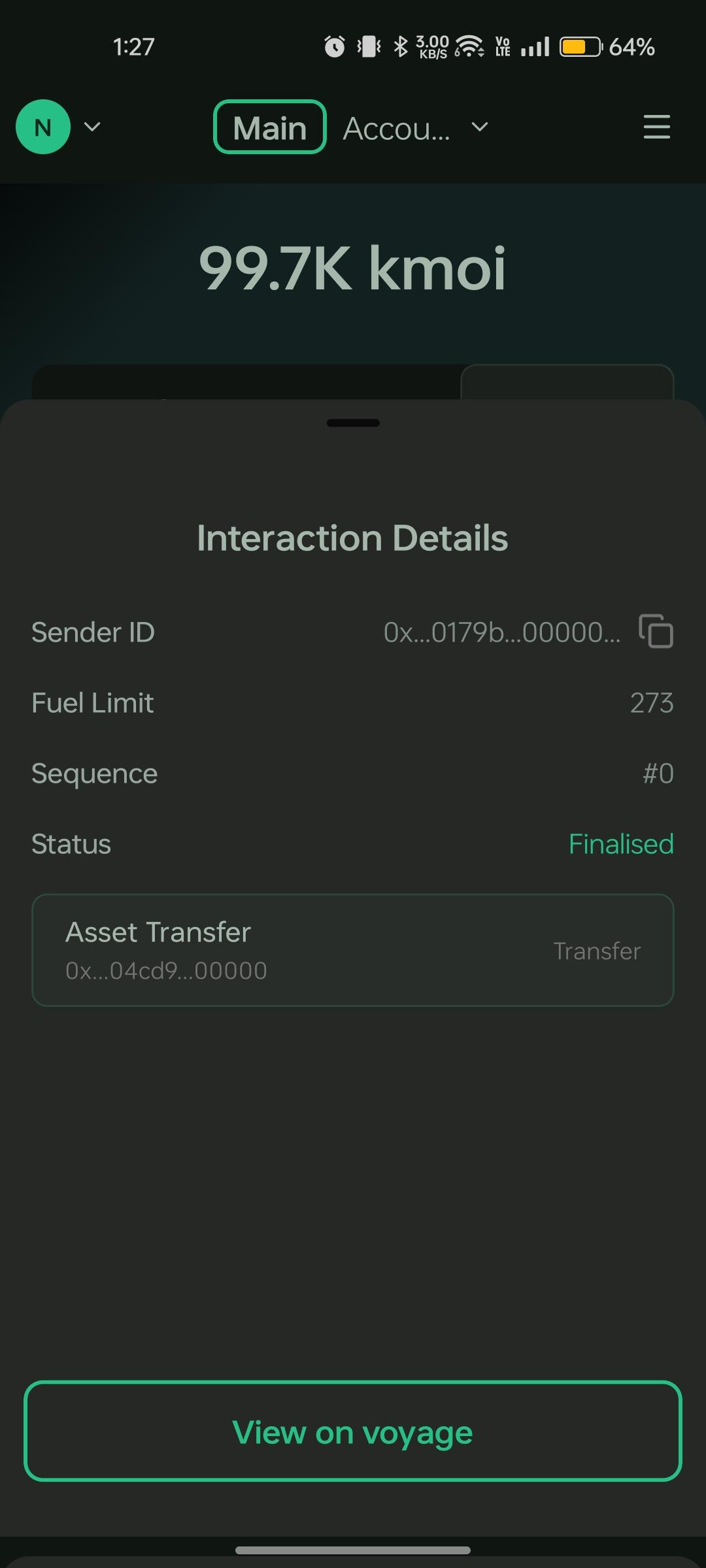
- Tap or click an entry to view activity details such as transaction hash, sender/receiver, and confirmation status.
What is tracked
| Item | Description |
|---|---|
| Asset transfers | Sent and received asset movements |
| Status | Pending, confirmed, or failed |
| Transaction hash | On-chain reference for the interaction |
| Account context | Which account or sub-account the activity belongs to |