Attach Account
After creating or importing a wallet, Moi Wallet walks you through attaching your first account. Attach Account links a derived MOI account to your wallet so you can register it on the network and start using Send, Receive, and DApp features.
You may also attach additional accounts later from the account management flow.
When attach account appears
Attach Account is shown:
- After creating a new wallet and confirming your seed phrase
- After importing a wallet with your seed phrase
Steps
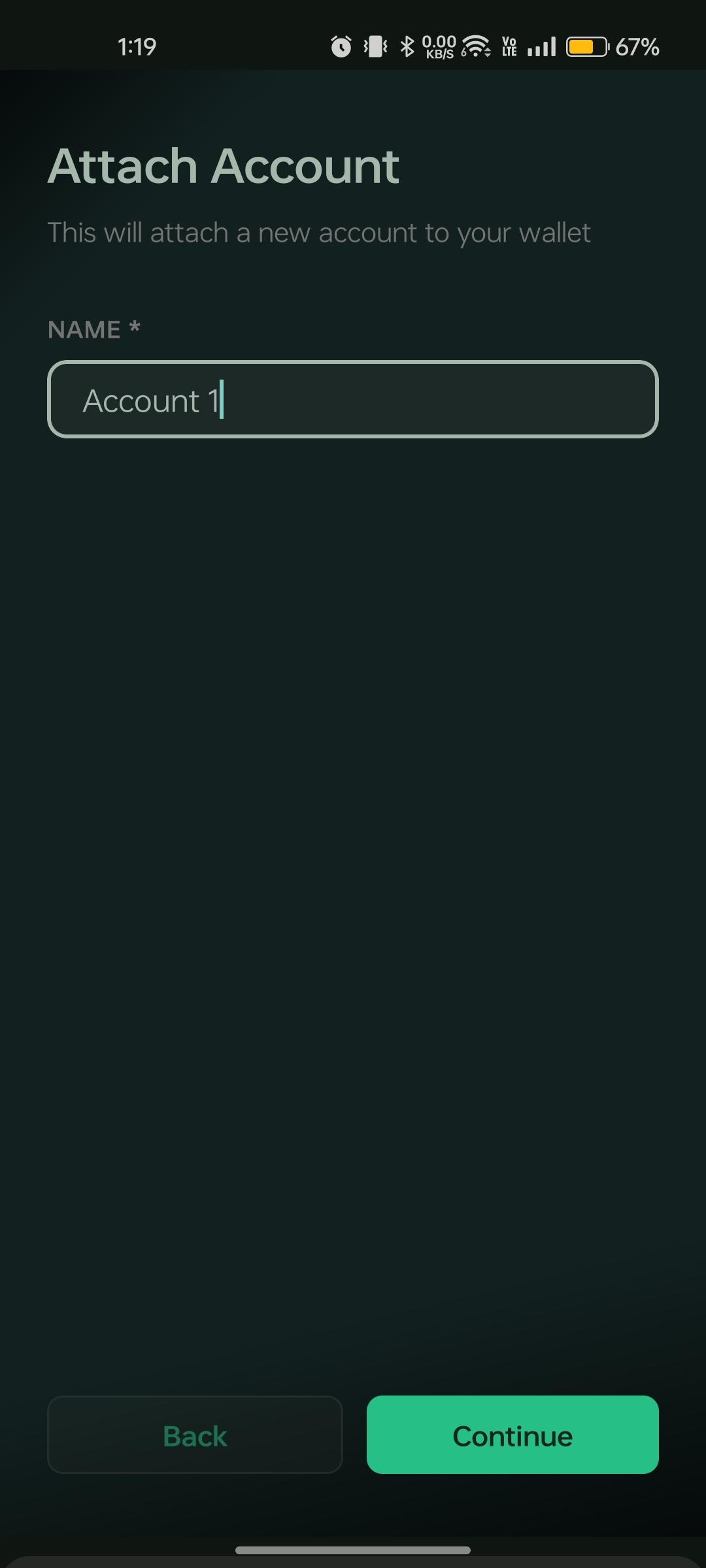
- Enter an account name to identify the account (e.g.
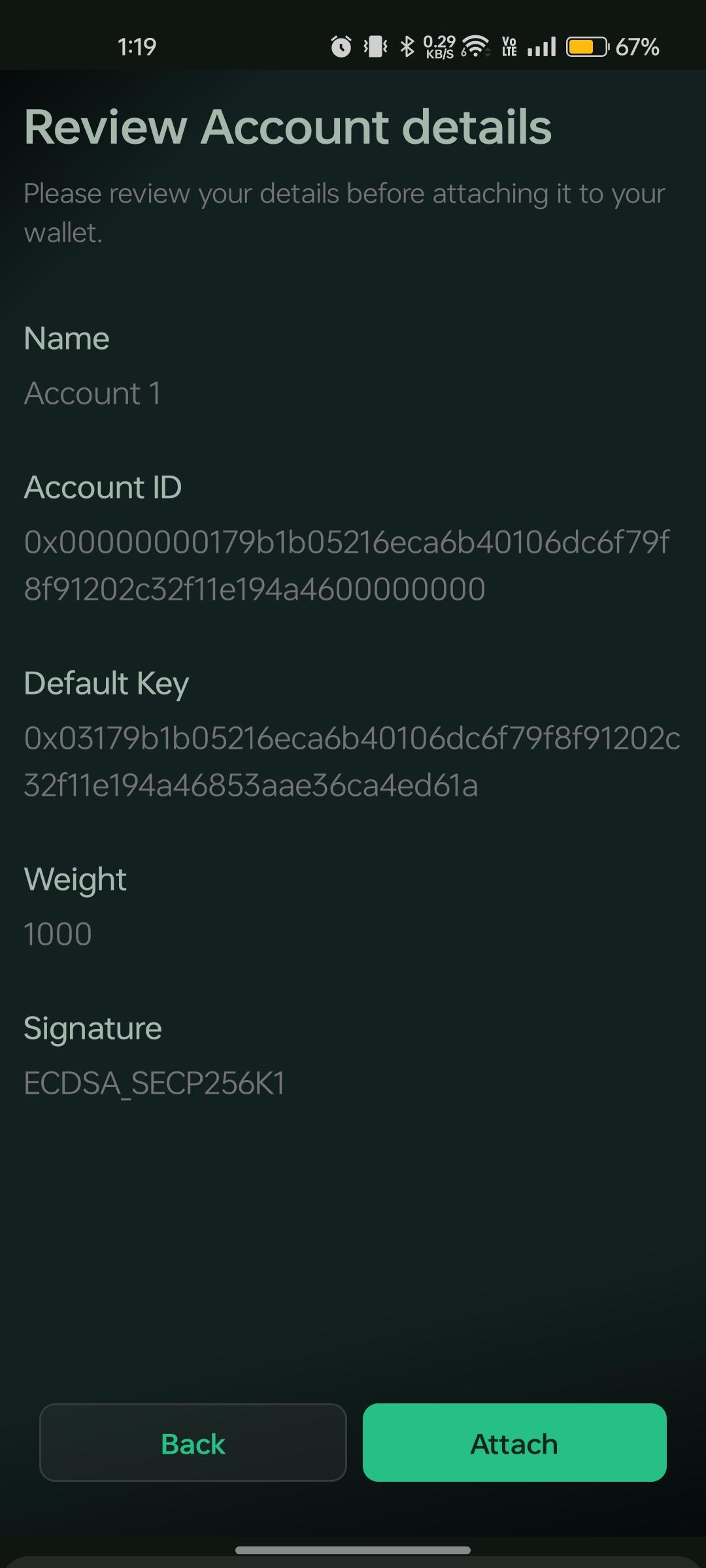
Main,Personal). - Review the generated account details — account ID, default key, weight, and signature algorithm.
- Confirm to attach the account to your wallet.
- If the account is not yet registered on the network, follow the Register Account flow before using Send or DApp features.
Important notes
- Attach Account derives a new account from your existing seed phrase — it does not create a new seed phrase.
- Attaching an account is a local wallet step; on-chain registration is a separate process. See Register Account.
- All accounts attached to the same wallet share the same seed phrase backup.